
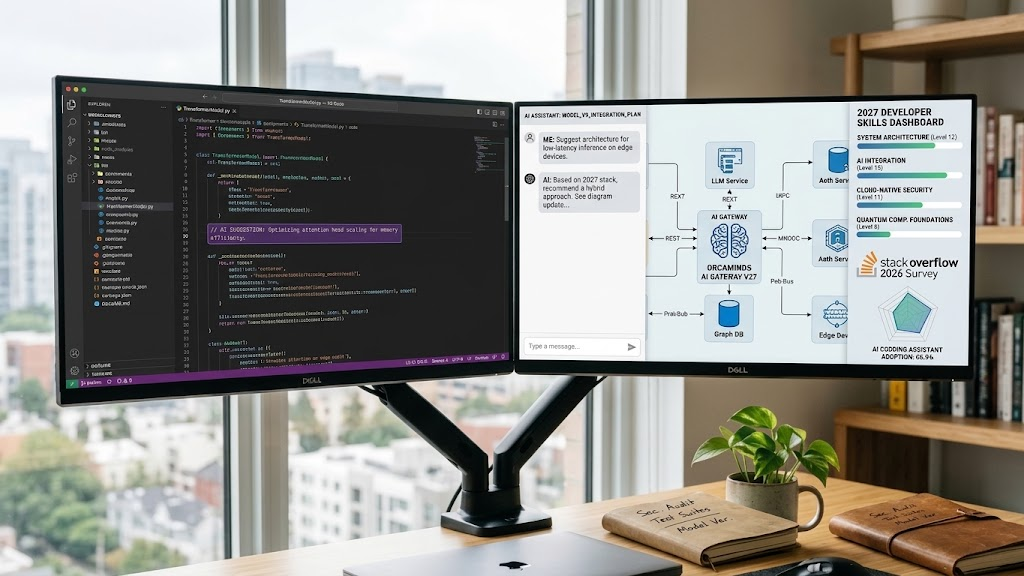
Software engineering is changing, and the skills developers need are changing with it.
AI coding assistants can now help write code, explain errors, suggest tests, and handle parts of development workflows. But knowing how to use AI is only one part of becoming a good software engineer.
Developers still need to understand programming, security, system design, testing, and how to solve real problems.
According to the 2026 Stack Overflow Developer Survey, 65.9% of respondents reported using AI coding assistants or coding agents at work. That’s a strong sign that AI tools are becoming part of everyday development
So, what should you learn to prepare for 2027?
This guide covers 10 software engineering skills worth developing, why they matter, and practical projects you can use to build experience, even if you’re just getting started.
While researching trending software engineering tools, a few things caught my attention. With 2027 just around the corner, I started thinking: what should we be learning today to stay ahead tomorrow?
For me, keeping up means more than knowing what’s popular. It means learning how to use tools that help us build better software, solve problems, and work more efficiently.
That’s why I’m sharing some tools and must-have skills worth exploring now. Let’s take a closer look at what they offer and why they deserve a place on our learning list.
Why These Skills Matter in 2027
Software engineers are expected to do more than write instructions that a computer can execute. They also need to understand how applications work, how systems connect, and how to make software reliable.
AI is changing some of the daily work, but it doesn’t remove the need for technical judgment.
The World Economic Forum’s Future of Jobs Report 2025 identifies AI and big data, networks and cybersecurity, and technological literacy among the fastest-growing skill areas expected through 2030.
World Economic Forum
That doesn’t mean every developer needs to become an AI researcher or cybersecurity specialist.
It means engineers who understand the fundamentals and can adapt to new tools may be better prepared for changing responsibilities.
The following ten skills are research-based recommendations, not an official ranking or a guarantee of employment.
10 Essential Software Engineering Skills for 2027
1. AI-Assisted Coding and Coding Agents
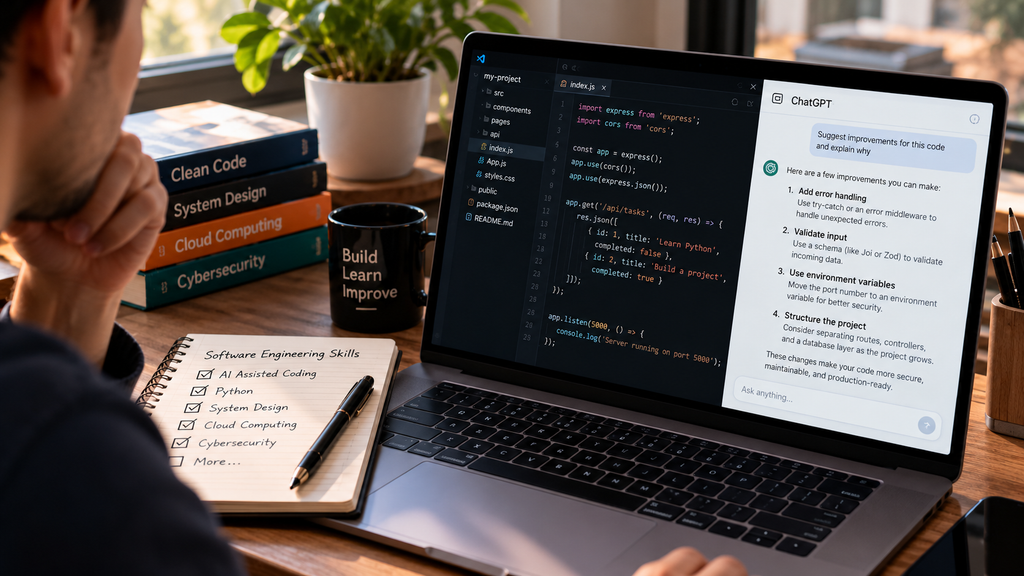
AI-assisted coding is the practice of using AI tools to support programming tasks. Coding agents can go further by working through multi-step tasks, examining project files, suggesting changes, and sometimes running tests.
Why it matters: AI can reduce repetitive work and help developers explore unfamiliar code. But the person using it still needs to understand the result.
For example, an AI tool might generate a login form that looks correct but handles passwords insecurely. Without programming and security knowledge, that mistake could go unnoticed.
How to learn: Start by writing a small program yourself. Then use an AI coding assistant to suggest improvements. Compare the changes, test the results, and understand why each modification was made.
Beginner project: Build a simple to-do application. Use AI to suggest a new feature, such as task filtering, then review and test the code yourself.
The goal is to learn how to work with AI without becoming dependent on it.
2. Python and Programming Fundamentals
Python remains a practical starting point for beginners because its syntax is relatively readable and it is used in automation, backend development, data analysis, and AI applications.
However, learning Python alone isn’t enough.
You should also understand variables, functions, loops, data structures, error handling, and basic algorithms. These concepts transfer to other programming languages.
Why it matters: Programming fundamentals help you understand how software works, rather than simply copying solutions.
How to learn: Start with small exercises and gradually build complete applications. Practice reading error messages and solving problems without immediately asking AI for the answer.
Beginner project: Create an expense tracker that records purchases, organizes them by category, and calculates monthly totals.
You can begin with a command-line version and later add a simple interface.
3. System Design and Software Architecture
System design is about deciding how the different parts of an application should work together.
For example, an online shopping website needs to manage customers, products, payments, orders, and inventory.
Software architecture helps engineers organize those components so the application remains understandable, reliable, and easier to maintain.
Why it matters: As applications grow, poor design can lead to slow performance, repeated problems, and expensive changes.
How to learn: Study how databases, servers, APIs, caching, and authentication work together. Start with simple diagrams before exploring more complex architectures.
Beginner project: Design a basic online bookstore. Draw how customers browse products, place orders, and how the application stores that information.
You don’t need to build a large production system to start understanding architecture.
4. Cloud Computing
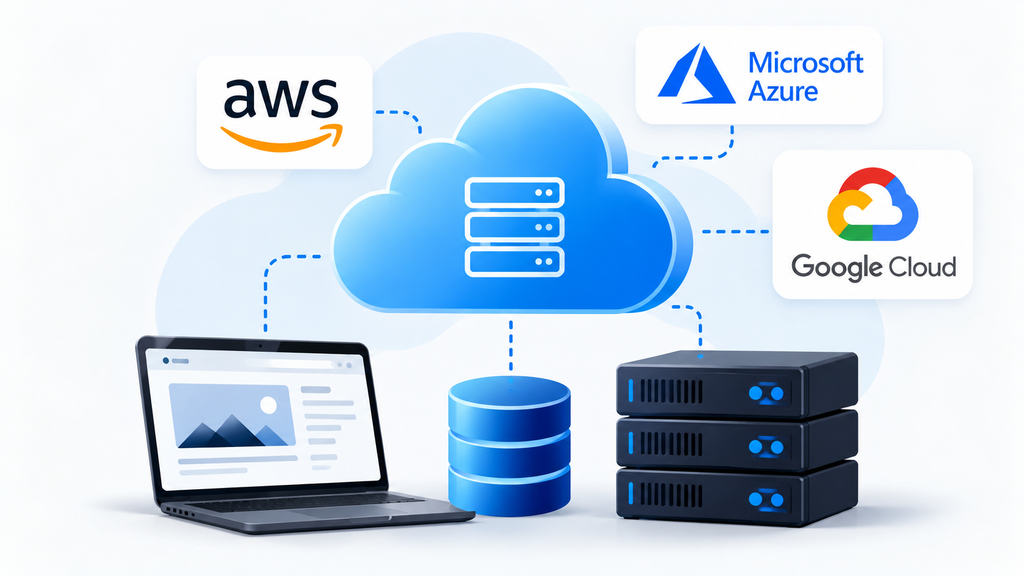
Cloud computing allows businesses to run applications and store data using computing resources provided over the internet.
Platforms such as Amazon Web Services, Microsoft Azure, and Google Cloud provide services for hosting applications, managing databases, storing files, and monitoring systems.
Why it matters: Developers increasingly need to understand how their applications operate outside their own computers.
How to learn: Start with hosting a small application. Learn basic concepts such as virtual machines, managed databases, object storage, access permissions, and cloud billing.
Beginner project: Deploy a personal portfolio website and connect it to a small backend service.
Set a spending limit or billing alert before experimenting with paid cloud resources.
You don’t need to master every cloud platform. Understanding the main concepts is more valuable than memorizing hundreds of services.
5. Cybersecurity and Secure Coding
Security is not only the responsibility of dedicated cybersecurity teams.
Software engineers make decisions that affect user data, authentication, permissions, and the safety of applications.
Common security problems include weak authentication, exposed credentials, unsafe handling of user input, and poorly configured access controls.
Why it matters: A working application is not necessarily a secure application.
How to learn: Study the OWASP Top 10, learn how to validate input, protect secrets, and manage permissions. Practice identifying security risks in small applications.
Beginner project: Build a login system that uses established authentication libraries, securely stores password hashes, and prevents unauthorized access to private pages.
Avoid inventing your own encryption or authentication methods.
A useful starting point is the OWASP Top 10.
6. APIs and Backend Development
An API allows different software applications or services to communicate.
For example, a weather application might request forecast information from an external service through an API.
Backend development involves the server-side logic that processes requests, manages data, and supports application features.
Why it matters: Many modern applications depend on reliable communication between systems.
How to learn: Understand HTTP requests, JSON, authentication, databases, and basic REST API design. Practice building endpoints that create, read, update, and delete information.
Beginner project: Create a book-management API that lets users add books, update their details, and search for titles.
You can use Python with FastAPI or JavaScript with Node.js.
The important thing is understanding how requests move between the client, server, and database.
7. Testing, Debugging, and Code Review
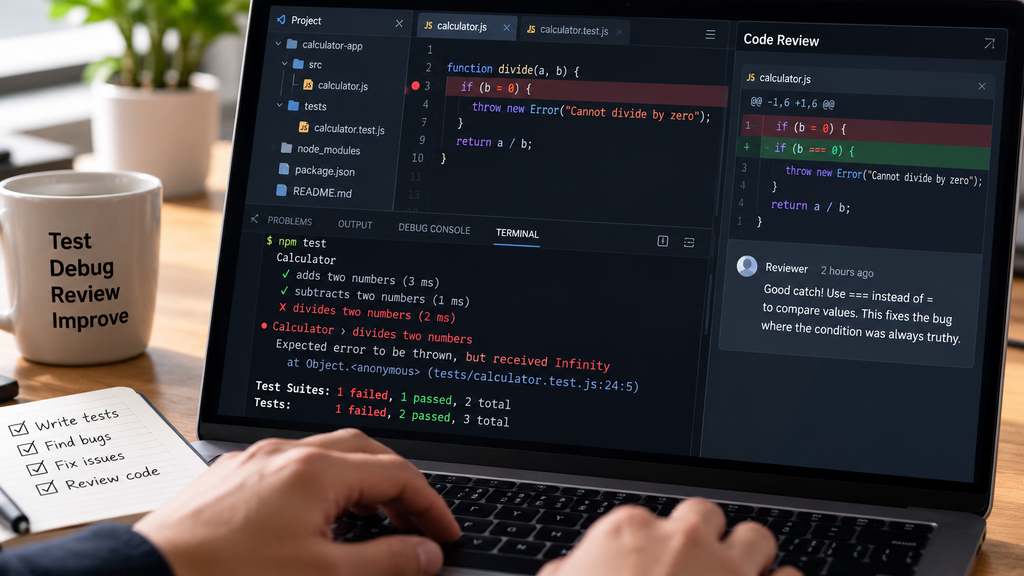
Writing code is only part of software engineering. You also need to check whether it behaves correctly.
Testing helps identify problems before users encounter them. Debugging is the process of finding and fixing those problems. Code review helps developers evaluate changes for correctness, readability, security, and maintainability.
Why it matters: AI-generated code can contain mistakes, just like human-written code.
The 2026 Stack Overflow survey reports that developers use AI for tasks including debugging, refactoring, and writing tests, but these activities still require review and judgment.
Stack Overflow Developer Survey
How to learn: Write automated tests for small functions. Practice reproducing errors, using debugging tools, and reviewing code changes.
Beginner project: Build a calculator and write tests for addition, subtraction, division, and invalid input.
Then deliberately introduce a bug and practice finding it.
8. DevOps and CI/CD
DevOps connects software development with the processes used to build, release, and maintain applications.
CI/CD stands for continuous integration and continuous delivery or deployment.
These practices help teams test and release changes more consistently.
Why it matters: Developers benefit from understanding what happens after they finish writing code.
How to learn: Learn Git, GitHub workflows, basic command-line operations, and automated testing. Later, explore containers using Docker.
Beginner project: Create a GitHub repository and configure GitHub Actions to run your application’s tests whenever you push new changes.
This gives you a practical introduction to automated development workflows.
You can learn more through the official GitHub Actions documentation.
9. Data Engineering and AI Integration
Data engineering involves collecting, organizing, transforming, and preparing data so applications and businesses can use it.
AI integration focuses on connecting AI capabilities to software products through APIs, models, or other supported services.
Why it matters: AI features are only as useful as the information, permissions, and processes supporting them.
A business application might use AI to summarize customer support messages. But the developer still needs to manage the underlying data, protect sensitive information, and check the accuracy of generated summaries.
How to learn: Study SQL, database design, data validation, and API integration. Understand the difference between sending data to an AI service and training a model.
Beginner project: Build an application that imports a CSV file, organizes the records, and generates a basic report.
As an optional extension, use an AI API to summarize the report while keeping private data protected.
10. Problem-Solving and Communication
Not every important software engineering skill is technical.
Developers need to understand requirements, ask useful questions, explain decisions, and collaborate with others.
Imagine a client requesting a faster website.
A developer who immediately starts rewriting code may waste time if the actual problem is a slow database query or oversized images.
A better approach is to investigate the issue before choosing a solution.
Why it matters: Good engineering begins with understanding the problem.
How to learn: Practice breaking large tasks into smaller steps. Explain your decisions in simple language and ask for feedback.
Beginner project: Work with a friend to plan a small website. Write down the requirements, divide the work, and explain why you chose your technical approach.
Strong communication makes technical knowledge more useful.
Personally, I would recommend Data Engineering and AI Integration as two valuable skills to learn before 2027.
While researching the most important skills for software engineers, these two particularly caught my attention.
What I found interesting is how closely data engineering and AI are connected. AI systems depend on reliable, well-organized data, and that’s where data engineering plays an important role.
Data engineering teaches you how to collect, manage, process, and organize data, while AI integration helps you understand how to bring AI capabilities into real-world applications and business systems.
Another thing I noticed during my research is that learning these skills isn’t just about keeping up with AI trends. It’s about understanding how modern technology works and how businesses can use data and AI together to solve practical problems.
AI is already becoming an important part of software development, and I believe its role will continue to grow in the coming years.
That’s why I see Data Engineering and AI Integration as a worthwhile investment for anyone planning to build a career in software engineering.
“If you’re thinking about which skills to learn before 2027, I certainly wouldn’t overlook these two.”
Which Software Engineering Skills Should Beginners Learn First?
If you’re completely new to programming, trying to learn all ten skills at once can become overwhelming.
A better approach is to build a foundation before moving into specialized areas.
I would recommend this order:
- Programming fundamentals: Start with Python, basic problem-solving, and Git.
- APIs and databases: Learn how applications store information and communicate.
- Testing and debugging: Understand how to identify and fix mistakes.
- AI-assisted coding: Learn to use AI while reviewing its suggestions.
- Cloud and security: Explore deployment and the basics of protecting applications.
Once you’re comfortable with these areas, you can begin learning system design, DevOps, and more advanced AI integration.
The goal isn’t to collect as many skills as possible. It’s to become capable of building something useful.
90-Day Software Engineering Learning Roadmap for 2027
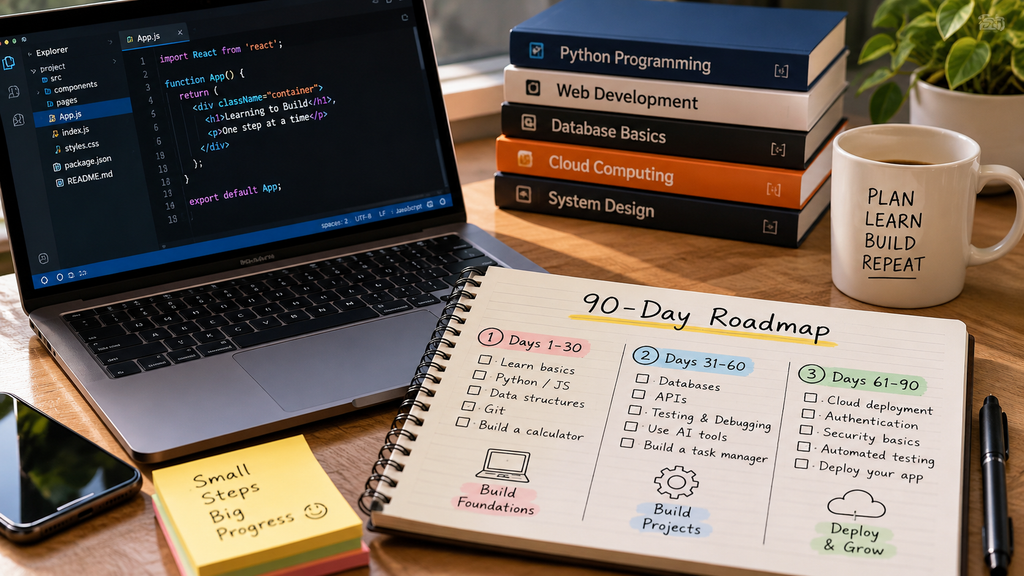
You don’t need to wait until 2027 to start preparing. Here’s a practical 90-day learning plan for beginners.
Your 90-Day Roadmap
Beginner
- Days 1–30: Learn programming fundamentals
Focus on Python, variables, functions, loops, data structures, and basic Git commands.
Target project: A calculator or expense tracker. - Days 31–60: Build an application
Learn basic databases, APIs, testing, and debugging. Practice using AI tools to explain code and suggest improvements.
Target project: A task manager or book-management API. - Days 61–90: Learn deployment and security
Explore cloud hosting, environment variables, authentication, automated testing, and GitHub Actions.
Target project: Deploy your application, add tests, and document how it works.
By the end of 90 days, you may have a few working projects and a clearer understanding of software development.
This doesn’t mean you’ll become an experienced software engineer in three months. Your progress will depend on your background, available time, and consistency.
But completing one well-understood project can teach you more than collecting tutorials you never put into practice.
Best AI Coding Tools to Explore
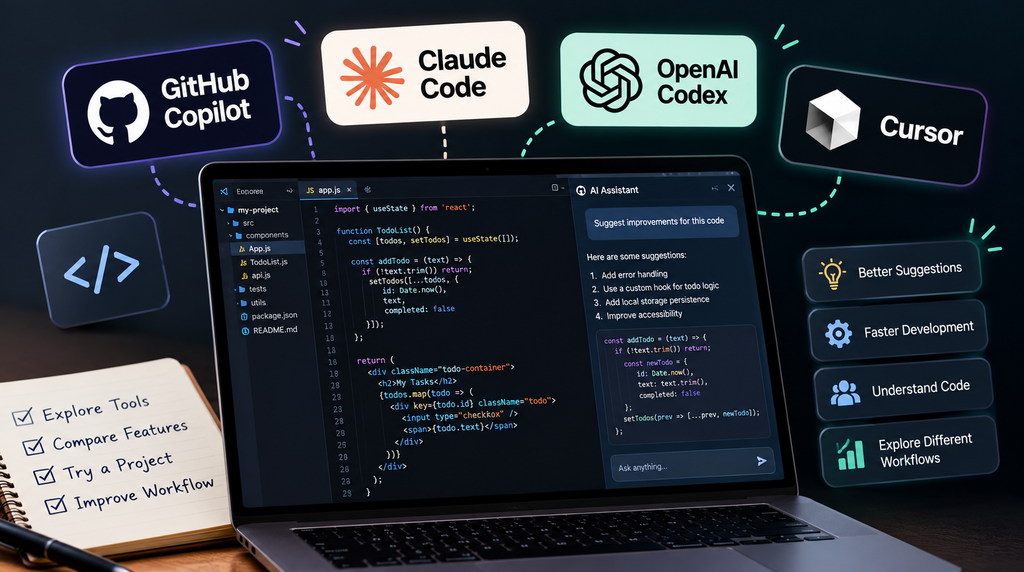
AI coding tools are worth exploring, but you don’t need to subscribe to every available product.
Here are four options to research.
GitHub Copilot
Useful for code suggestions, explaining code, and supported agent-based development workflows.Official website

Claude Code
A coding assistant designed for working with codebases, implementing changes, and assisting with development tasks.Official documentation
OpenAI Codex
Helps developers work on programming tasks, inspect code, and manage supported coding workflows.Official documentation

Cursor
An AI-focused code editor offering code assistance and supported agent features.Official website
These tools are included as options to explore, not as a ranking based on my own testing.
If you’re a beginner, start with one tool and use it alongside your programming practice. Compare its suggestions with your own solutions and always test the code before relying on it.
While exploring different AI tools, I personally spent some time researching Claude, and I found it genuinely useful and interesting, especially when it comes to research.
One thing that caught my attention was how Claude presents information in a clear, structured, and logical way.
Instead of simply giving you an answer that sounds convincing, it can help you explore a topic in greater depth, understand different perspectives, and identify useful information relevant to your research.
What impressed me most was its ability to break down complicated topics into understandable explanations while keeping the discussion focused on the actual question.
If you’re someone who takes research seriously, I believe Claude is definitely worth exploring. It can help you organize information, analyze complex subjects, and discover interesting insights you might otherwise overlook.
However, one thing I learned is that even detailed AI-generated answers aren’t always completely accurate. It’s still important to verify important facts through reliable sources.
“From my personal experience, Claude can be a valuable research assistant, especially when you use it to support your own thinking rather than replace it.”
Frequently Asked Questions
What skills should software engineers learn for 2027?
Important skills include programming fundamentals, AI-assisted coding, system design, cloud computing, cybersecurity, backend development, testing, DevOps, data integration, and communication.
Which programming language should beginners learn first?
Python is a strong starting choice because it’s relatively readable and useful across several fields. JavaScript is also a good option if your main interest is web development.
Will AI replace software engineers in 2027?
There is no reliable basis for claiming that AI will replace all software engineers in 2027. AI is already changing how developers work, but engineering still involves understanding requirements, making technical decisions, evaluating risks, and maintaining systems.
What AI skills are important for developers?
Developers can benefit from learning AI-assisted coding, prompt design for technical tasks, code verification, API integration, data handling, and the limitations of AI-generated outputs.
Can I learn software engineering in six months?
You can develop foundational skills and build several projects in six months with consistent practice. Becoming job-ready depends on your starting point, learning depth, portfolio, and the requirements of the roles you’re targeting.
Conclusion: Start Building Skills That Last
Software engineering in 2027 will likely involve a combination of traditional programming knowledge and newer AI-assisted workflows.
AI tools are becoming more common, but they don’t replace the value of understanding how software works.
If you’re a beginner, focus on programming fundamentals, practical projects, testing, and problem-solving before trying to master every emerging technology.
And if you’re already a developer, consider which of these skills would make the biggest difference in your current work.
The best time to prepare for 2027 is before it arrives. Start with one skill, build something useful, and keep improving.
While researching these 10 software engineering skills for 2027, I came across several things that genuinely caught my attention.
What surprised me most was how quickly technology is evolving and how important it has become to keep learning if you want to stay relevant.
Personally, I found AI integration and data engineering particularly interesting because of how these skills are changing the way software is developed. But I also realized that learning new technology isn’t necessary.
What matters more is choosing the right skills and understanding how to use them in real situations.
One thing I would personally suggest is not to rush into learning all 10 skills at once. Pick one or two that interest you, spend some time understanding the basics, and start working on small projects.
I believe practical experience teaches you much more than simply watching tutorials or reading about new technologies.
I’m still exploring and learning about these technologies myself, and that’s exactly why I wanted to share what I discovered through my research.
My biggest takeaway? You don’t need to know everything before 2027, but you should definitely start learning something today.
Technology isn’t going to stop evolving, and neither should our willingness to learn.
Explore the latest technology trends, digital innovations, and breakthroughs with TechsNeurons.